
Product Identification Company · New Jersey
Cutting tools made at PIC
Custom Steel Rule Die Making
PIC builds custom steel-rule dies in Garfield, New Jersey, for display graphics, signs and cut components. Order a die for your press or have us print and cut the finished parts.
- Laser-cut boards and in-house rule bending
- Cut, crease and perforate where the job calls for it
- Tooling matched to your material and press
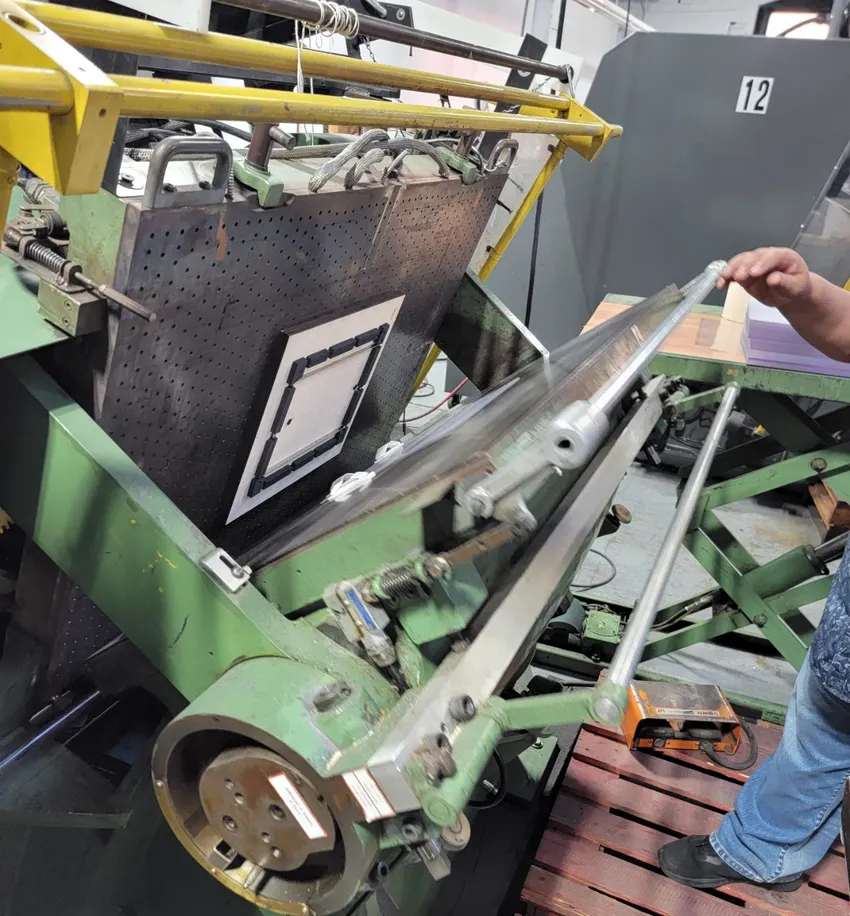
A die set in a PIC clamshell press. Inset: shaped steel rule mounted in a wooden die board.
The tool for your shape
Custom Cutting Dies & Cut Parts
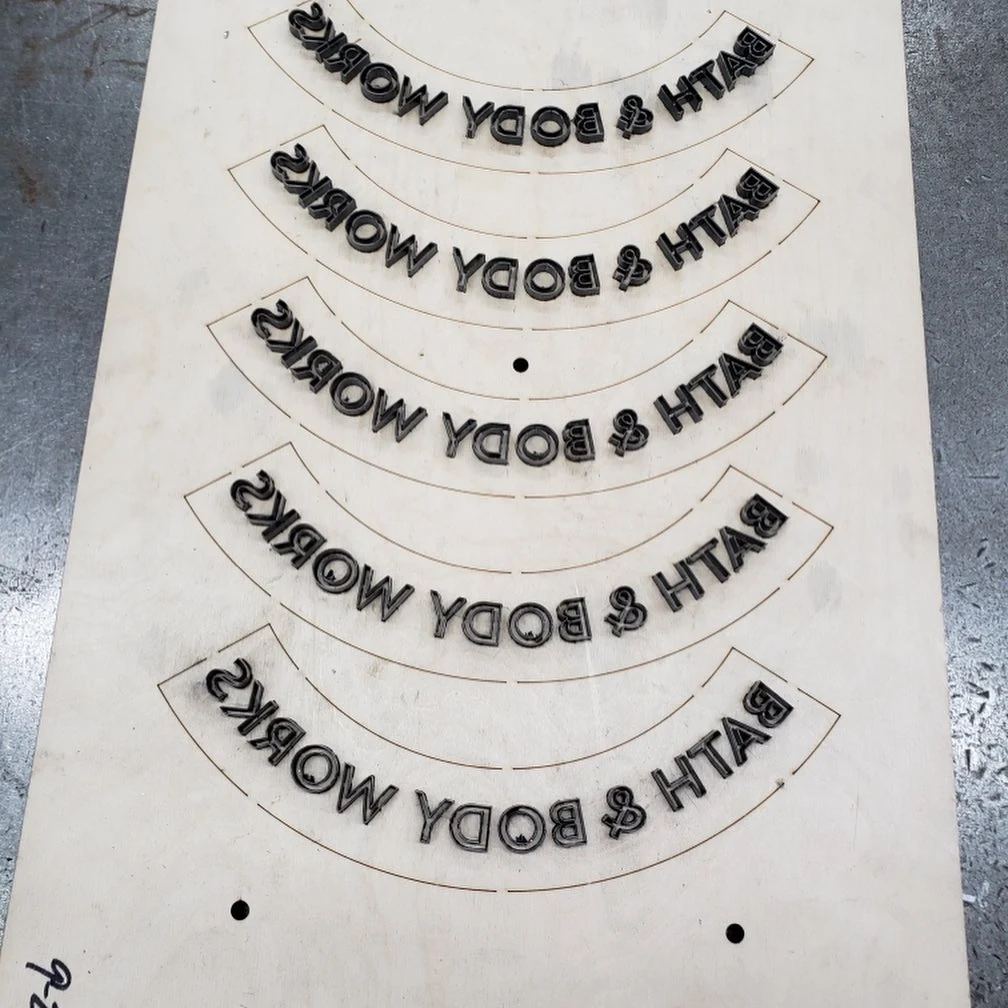
A steel-rule cutting die with reversed lettering.
PIC makes dies for shaped display graphics and signs, as well as small components with openings.
Browse our steel-rule dies for tooling options. For finished components, use our precision die-cutting services.
For large sheets and graphics, explore large-format die cutting. PIC can make the die and cut your pieces as one job.
Made in-house
In-House Steel Rule Die Making
PIC makes the die board and shapes the steel rule in house for your cutting project.
01 · The board
Laser-Cut Die Boards
Laser-cut slots in the board hold the steel rule in position for your design.
02 · The steel edge
Automatic Steel-Rule Bending
Our rule bender shapes the steel cutting edge to follow your drawing's corners and curves.
03 · The cutting die
Assembled Cutting Dies
The board holds the shaped steel edge that cuts your material in the press.
Cut, fold or tear
Cutting, Creasing & Perforation
PIC makes dies that can cut, crease and perforate suitable materials in the same job.
Cutting separates the piece; creasing or scoring adds a fold line, and perforation creates a tear line.
Serrated cutting edges are also available where the design and material call for them.
Cut, Fold & Tear
Cut · a cut edge
Crease · a fold line
Perforate · a tear line
An example drawing with cut, fold and tear lines.
Shaped Graphics
Cut display graphics, signs or components to the outline and openings you need.
Folded Pieces
Add fold lines for packaging pieces or graphics that need to bend into place.
Tear-Off Sections
Add perforations so connected sections can be separated when needed.
Made for the job
Custom Dies for Your Material & Press
Material examples
Materials for Die Cutting
- Paper & board: cardstock, paperboard, chipboard and corrugated board.
- Films: polyester and adhesive-backed sheets.
- Selected plastics: PVC, styrene, PETG, polycarbonate and acrylic.
- Foam & rubber: sheet foams and gasket materials.
PIC equipment
Die-Making Equipment
- BendPro 320D automatic steel-rule bender.
- Laser-cut wooden die boards.
Order dies for retail display graphics and decals, with the shape and openings your artwork requires.
PIC reviews the material grade and thickness before specifying your die.
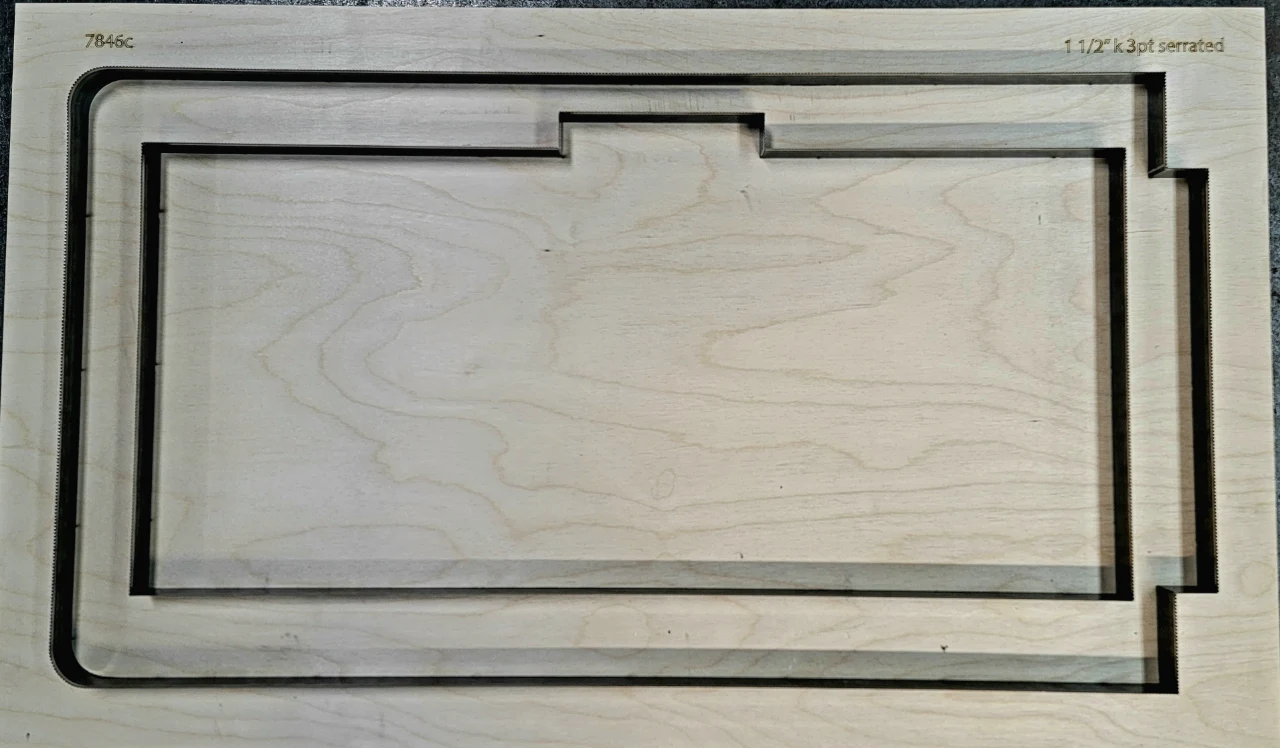
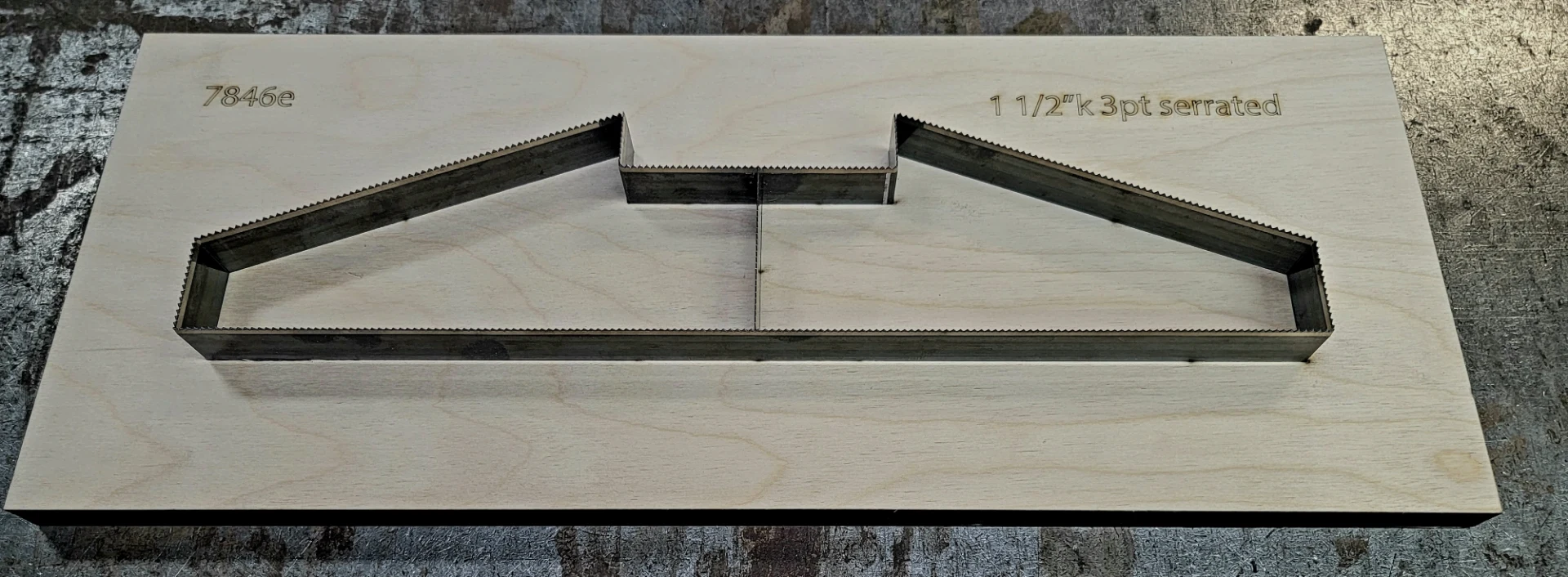
Steel rule shaped to a stepped outline in a wooden board.
PIC selects the die's construction for your material and the press that will cut it.
For a die used on your own press, PIC reviews compatibility against:
- The press working area.
- Mounting details.
- Required rule height.
Printing, adhesive backing and laminate layers can affect the cut, so PIC considers them when planning the die.
Repeat work or a new design
Die Cutting or Digital Cutting?
A reusable die suits orders with the same shape repeated across many pieces. It can also be used for later orders of that design, subject to its condition.
For samples or a design that is still changing, digital die cutting produces shapes from a file without making a physical die.
PIC can compare die cutting and digital cutting for your material, quantity and expected reorders.
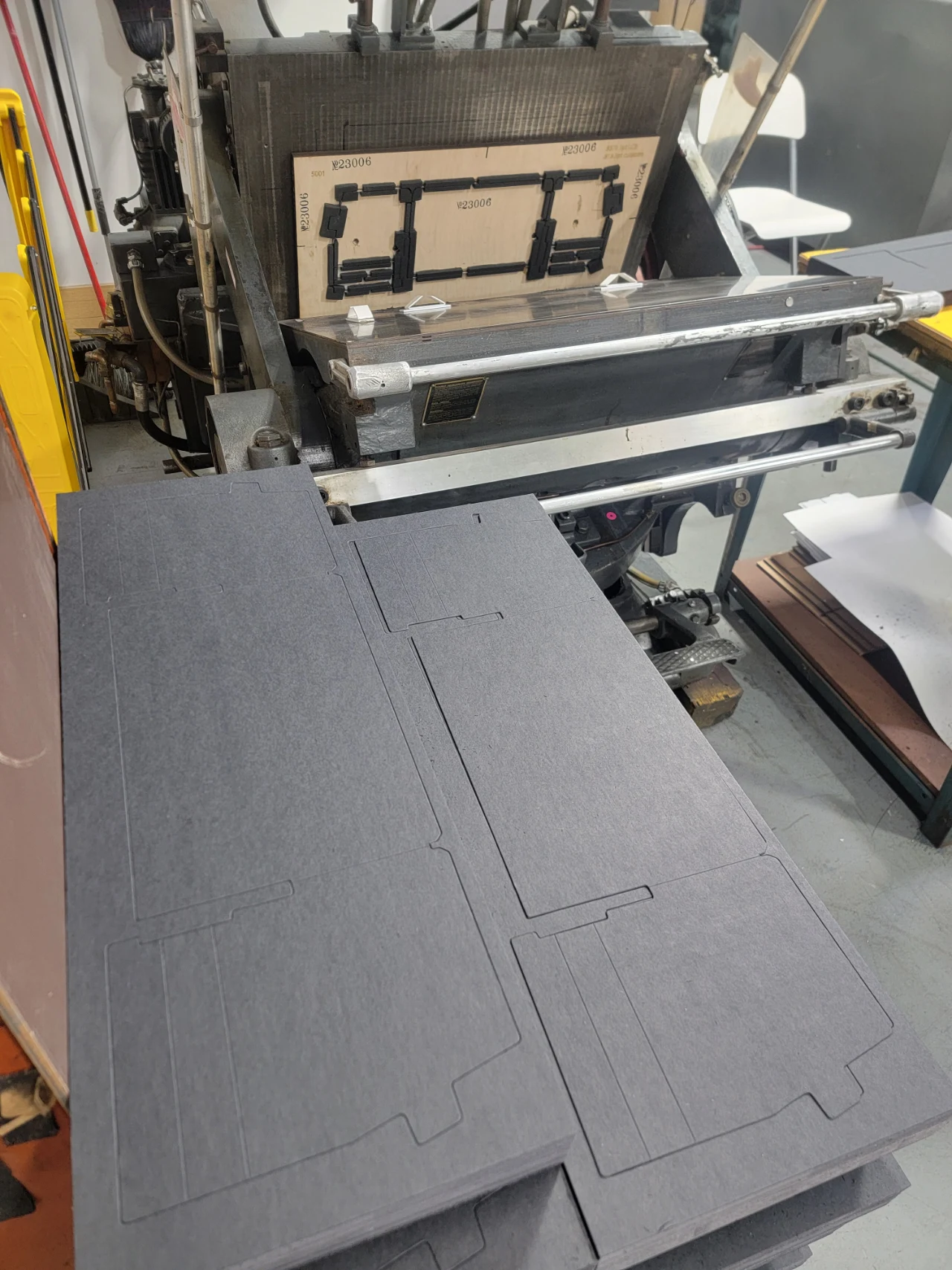
A cut and scored sheet component beside a die in the press area.
Start with the piece you need
Artwork & Samples for Custom Dies
Start with a current dimensioned drawing or a sample. Mark cut, crease and perforation paths separately on the dieline, and include the file units and revision.
One part or a full die layout? Tell us whether the file shows one finished piece or the whole sheet. If you already know how many pieces you want per press pass, include that number, along with any sheet-size or press constraints. If you’re unsure which production file format to send, ask us before exporting.
Size & shape
Dimensions, units and the latest design revision define the piece to be made.
Cuts & folds
A drawing identifies cut outlines, openings, fold lines and perforations, with the material and thickness.
Dimensions & fit
PIC reviews critical dimensions and tolerances, including any print alignment or fit with another part.
Drawing or sample
A sample can show the material and finished result; the drawing defines the dimensions.
Talk with PIC
Request a Die-Making Quote
PIC quotes custom tooling and finished die-cut pieces. Useful order details are:
- Material.
- Quantity and expected reorders.
- Required date.
For a die used on your own press, PIC also reviews the press details for compatibility.
Can a die be used for repeat orders?
A die can often be used for the same design again. PIC checks its condition and whether it suits the current job.
Can PIC also print and cut the pieces?
Yes. Order printing, die making and die cutting from PIC for your finished pieces.
What if the design has changed?
PIC reviews the latest drawing and any material changes to check whether the existing die can be reused or a new die is needed.
Print shops are welcome to ask about our cutting and finishing services for trade work.